Open sourceMIT license
Tap Payments in Next.js. Arabic from the first line.
An Arabic UI that mirrors the right way and a working checkout with mada, Apple Pay, STC Pay and KNET. Every payment is verified on the server before the order counts as paid.
git clone https://github.com/ahzab/nextjs-rtl-starter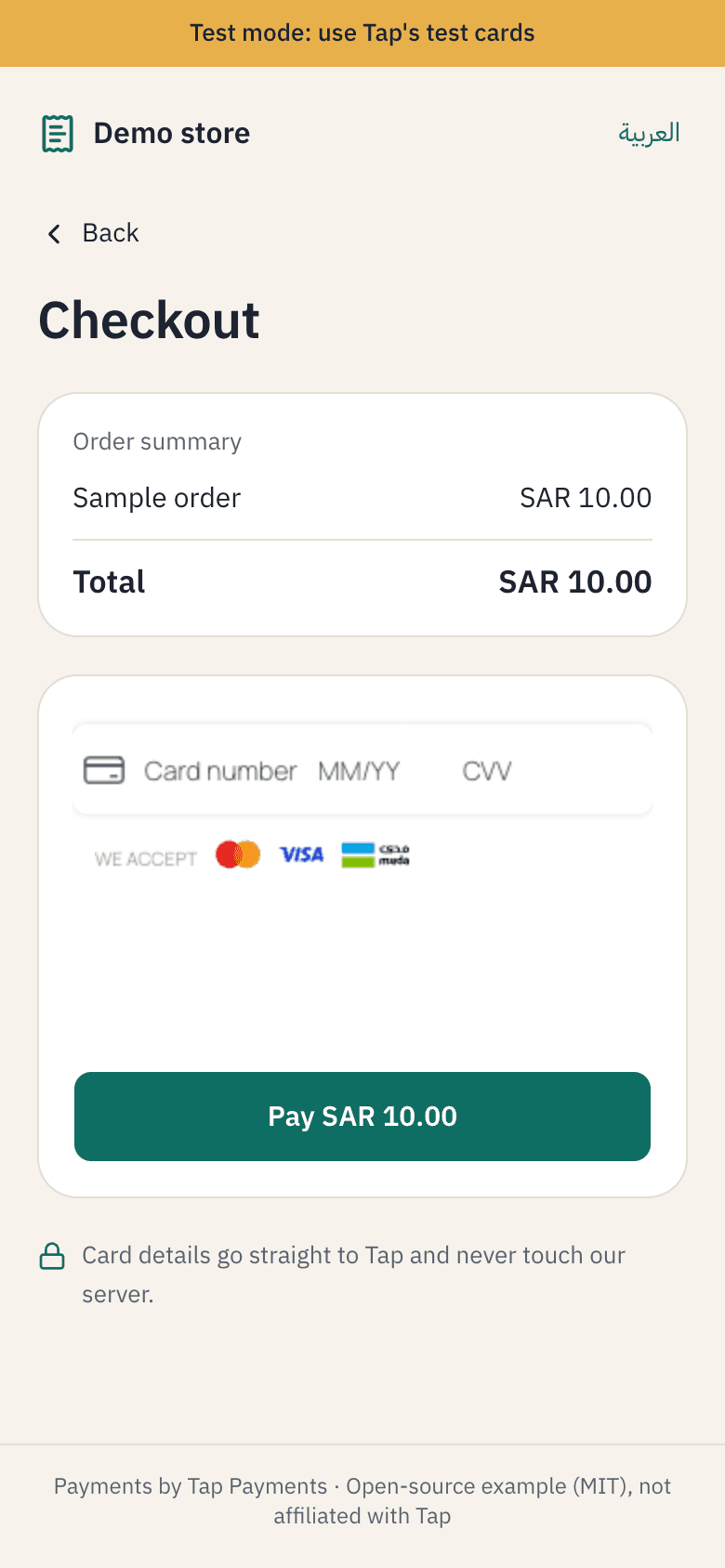
Payment methods, the way customers expect.
Everything runs through Tap. Cards work on the test keys out of the box, and the others switch on with one env flag once Tap enables them on your account.


 Any
Anymada, Visa, Mastercard
Nothing, works on the test keys
Works now Any
AnyApple Pay
Register your domain with Tap; shows in Safari
NEXT_PUBLIC_TAP_APPLE_PAY=true SAR
SARSTC Pay
Enabled on your Tap account
NEXT_PUBLIC_TAP_STC_PAY=true KWD
KWDKNET
Enabled on your Tap account
NEXT_PUBLIC_TAP_KNET=true
Kuwaiti dinars have three decimals and riyals have two. The starter reads that from Intl instead of hardcoding it.
The details most integrations get wrong.
None of it is hard, but it's scattered across the docs. Here it is in one place, with tests.
- 01
Tap's card field
The card number stays inside Tap's frame. Your server only ever sees a token.
tok_… - 02
3-D Secure and back
The customer passes the bank's check and lands back on the result page in their own language.
3-D Secure - 03
Server verification
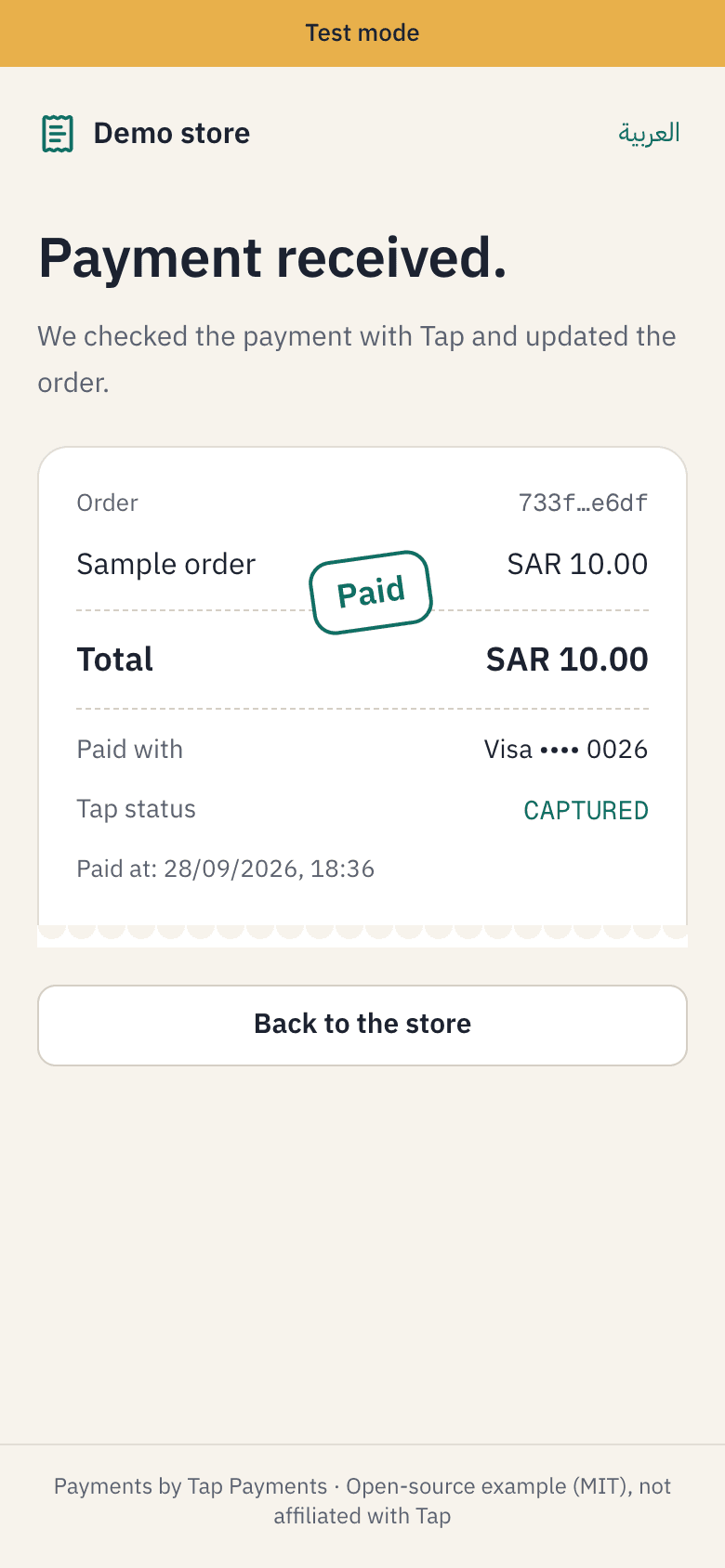
An order only counts as paid once the charge is fetched from Tap and its status, amount and currency all match.
CAPTURED - 04
Webhook signature
The hashstring is rebuilt with each currency's own decimals. Get that wrong and every signature fails.
hashstring
Four working pages, from order to receipt.
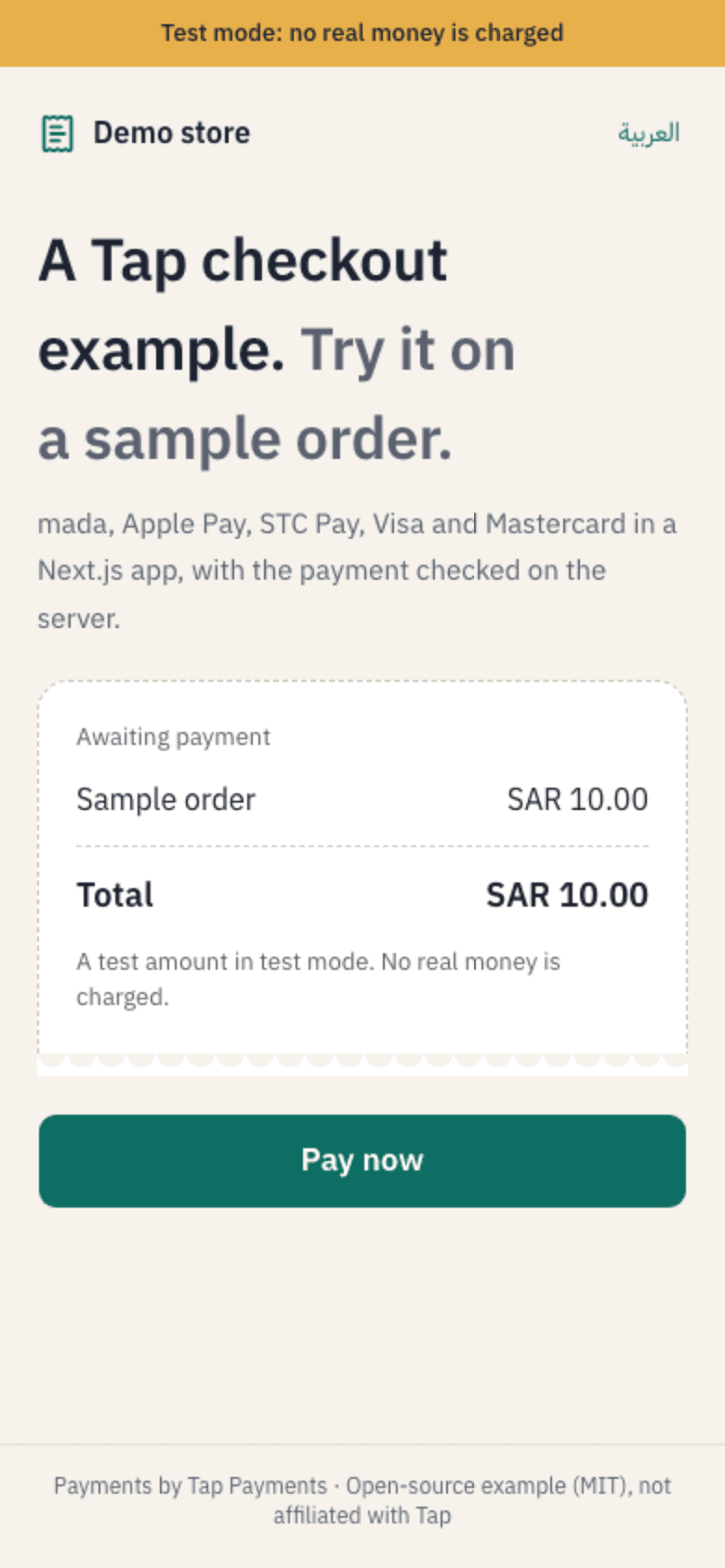
Everything the customer sees, in Arabic and English. These are real captures of the starter in test mode.
The store page: a sample order with its amount and one button to pay.
A UI that mirrors, numbers that don't.
The starter's own components, with its own strings. Switch the direction and watch what flips and what stays.
Mirrors
Spacing, arrows and the entire layout, through shadcn/ui with rtl: true.
Stays put
Amounts, card numbers and order IDs. The Arabic UI keeps Western digits too.
Card details go straight to Tap and never touch our server.
Ten minutes to a first test payment.
- 01
Clone it
Clone the repo, run npm install and copy .env.example. Tap's public test keys are already in it.
- 02
Pay with a test card
Run npm run dev, pay with one of Tap's test cards and complete the 3-D Secure step.
- 03
Switch to your keys
Drop in your own Tap keys and swap the demo order store for your database.
$ git clone https://github.com/ahzab/nextjs-rtl-starter
$ cd nextjs-rtl-starter && npm install
$ cp .env.example .env.local
# Tap's public test keys are already in it
$ npm run dev
# open localhost:3000/en, pay with a test card, expiry 01/39Selling subscriptions?
The free starter covers one-time payments. The paid kit adds what subscriptions on Tap need:
Watch the repo on GitHubThe early-access list opens soon. Watch the repo to hear first.
- Monthly and yearly plans on saved cards, with renewals, retries and cancellation
- Auth, dashboard, billing page and plan limits
- Full Arabic and English UI, with SAR, KWD and AED formatting
- A deploy guide and ongoing updates
Is it free?
Yes, under the MIT license. Use it in commercial projects, no strings attached.
Do I need a Tap account to try it?
No. .env.example ships with Tap's public test keys, which are enough for a first test payment.
Does it store card details?
No. Card details go straight to Tap. Your server only sees a token and the charge ID.
Is it made by Tap?
No. It's an independent, unofficial project, not affiliated with Tap Payments.
What about subscriptions?
This starter covers one-time payments. Subscriptions live in the paid kit, and its early-access list opens soon.
Your first payment is closer than you think.
Start on the test keys, and open a Tap account when you're ready to go live.
Code on GitHub